01
Build your monthly plan
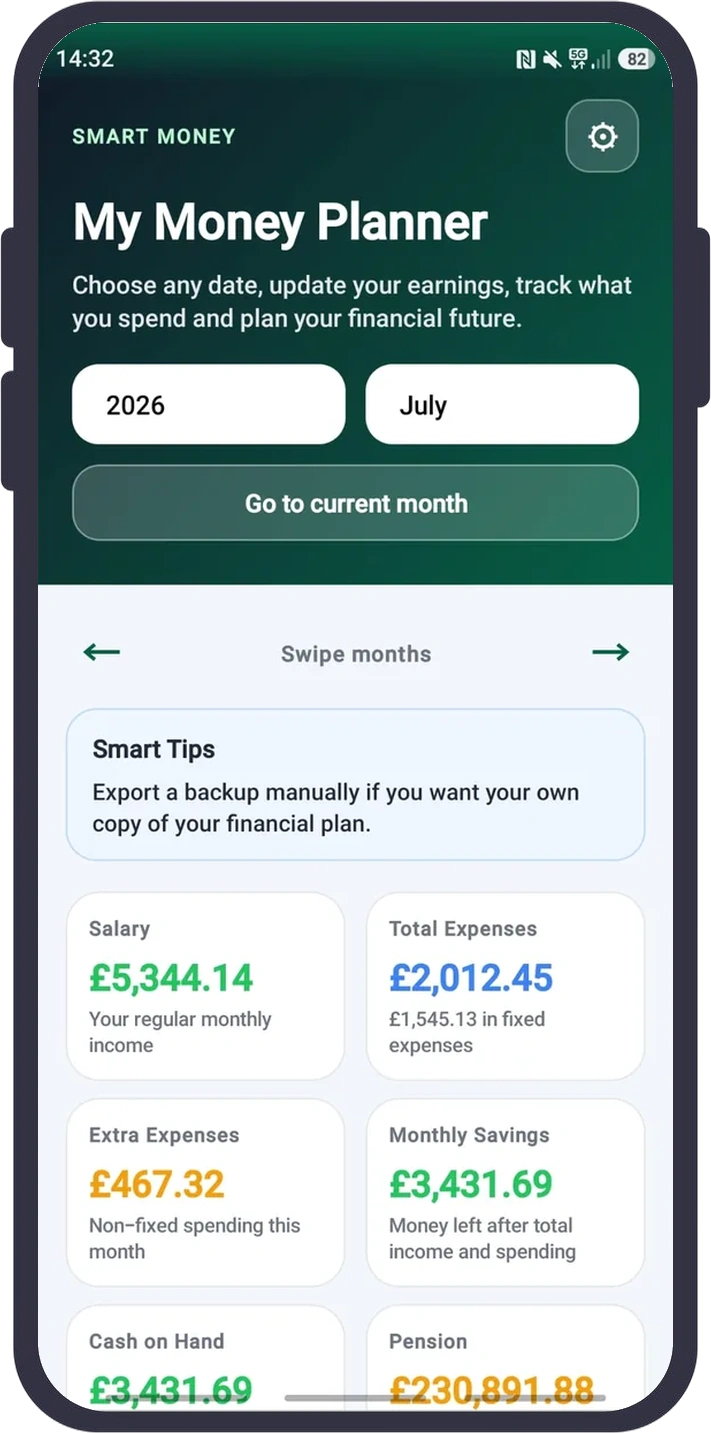
Add salary and regular bills first, then record one-off spending and extra income. The dashboard immediately recalculates expenses, monthly savings and Cash on Hand for the month you selected.
Plan each month before it happens. Track income, bills and everyday spending, monitor savings and debts, and see how today’s choices could affect your future cash flow.
14-day free trial • Cancel through Google Play
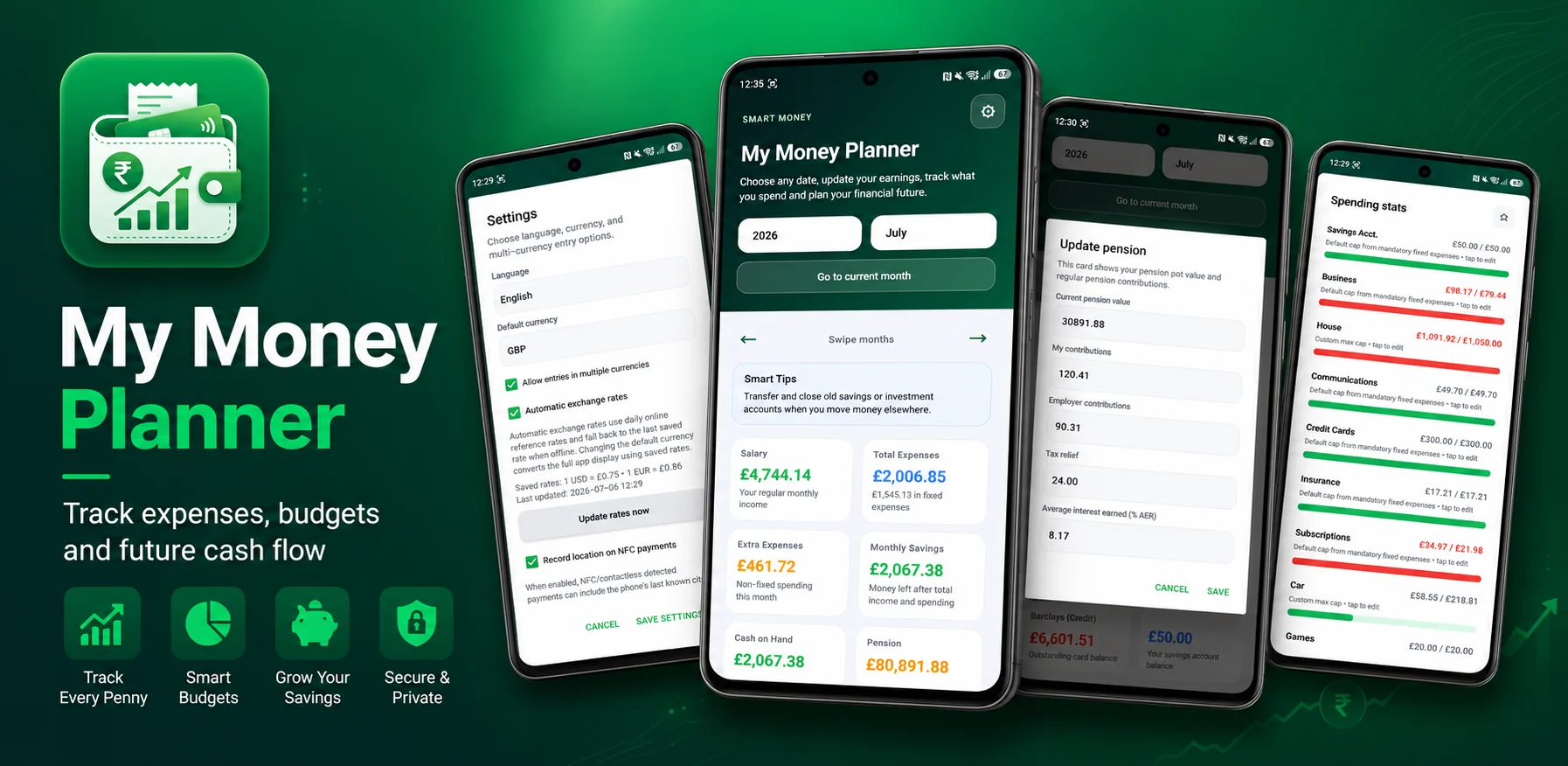
Ideal for anyone who wants one clear place to organise monthly bills, control everyday spending, build savings, reduce debt and understand their longer-term financial position.
Start with the money you know, confirm spending as it happens, then move forward month by month to understand where you are heading.
Add salary and regular bills first, then record one-off spending and extra income. The dashboard immediately recalculates expenses, monthly savings and Cash on Hand for the month you selected.
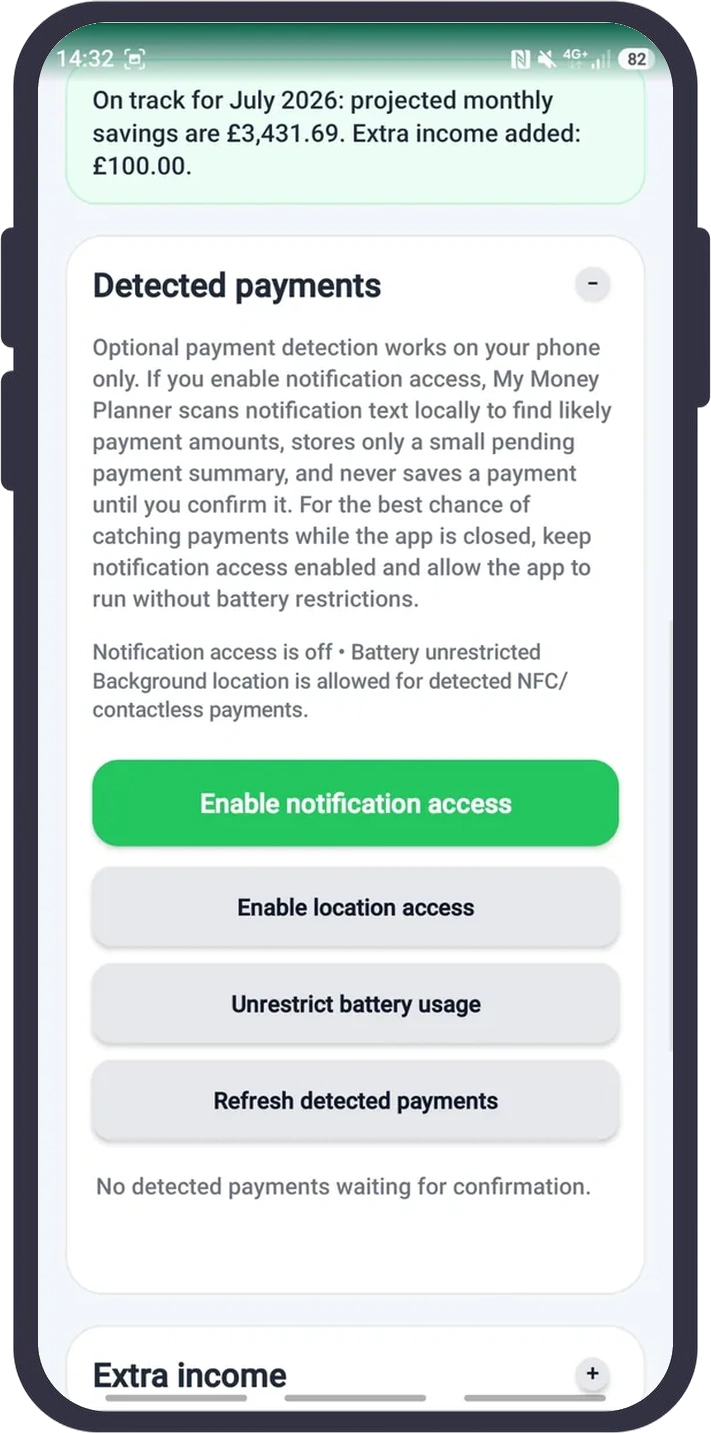
Optional notification detection finds likely card, bank, wallet and email payments on your phone. Payments and refunds wait in a confirmation list, where you check the details before anything is saved.
Swipe or use the arrows to move through past and future months. Contributions, interest, repayments, bills and budgets are carried forward so you can spot shortfalls or progress early.
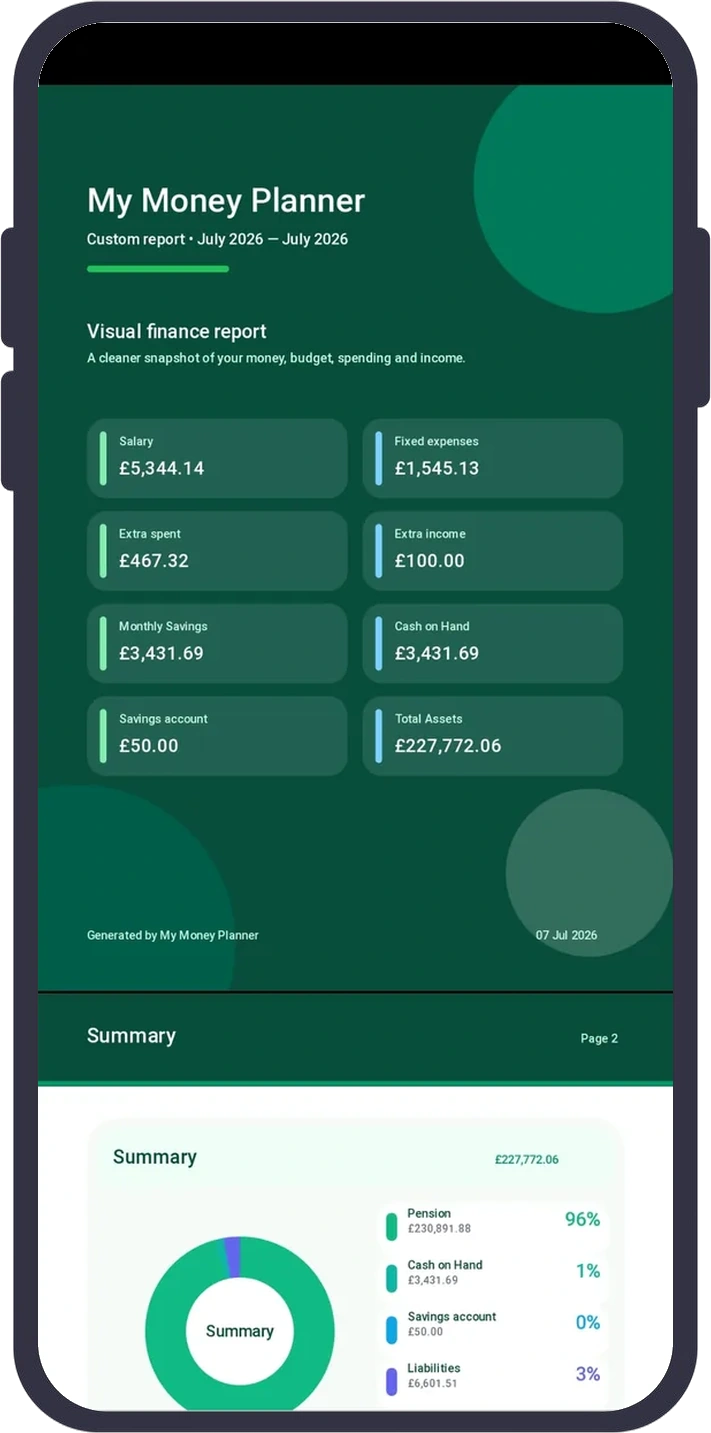
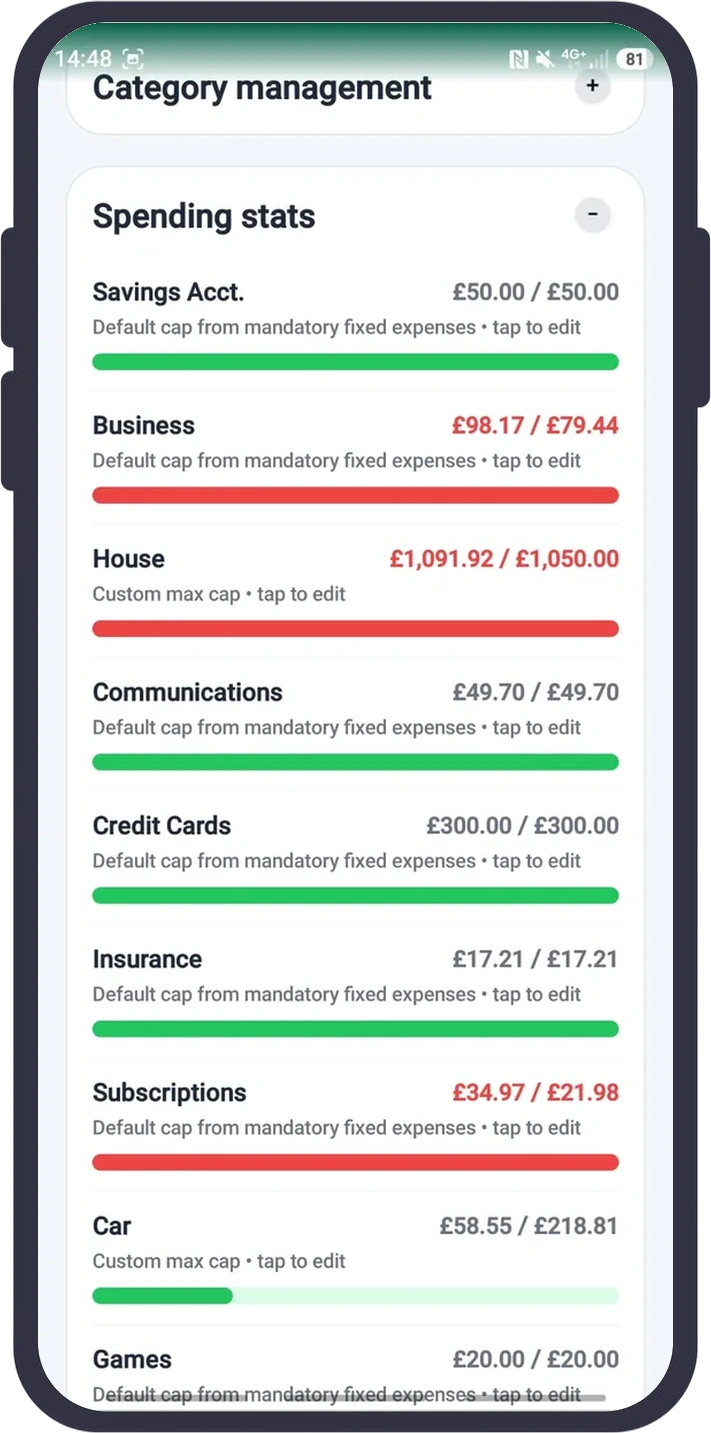
Spending bars show where you are within or over budget, while the visual PDF brings income, expenses, savings, assets and liabilities into a report you can keep or share.
My Money Planner brings budgeting, payment tracking, savings, debts, investments and forecasts together—without requiring spreadsheets or financial expertise.
Enter your regular monthly salary once, choose when it starts or ends, and carry it into future months so your income forecast begins with a realistic baseline.
Add rent, subscriptions, insurance, loan payments and other regular bills before the month starts. Mark mandatory costs so they automatically shape your category budgets.
Record one-off and variable spending—such as shopping, meals or repairs—so it is deducted from the selected month and included in your budget and savings totals.
Add bonuses, gifts, side income or other extra money separately from salary so the selected month’s available money and forecast remain accurate.
Set a maximum monthly amount for each category. Progress bars compare actual spending with the limit and clearly show when you are over budget.
See how much income remains after fixed and extra spending for the selected month. Apply your maximum budgets to model a realistic future where you stay within those limits.
Keep the app aligned with the money you can actually use now. Cash on Hand carries forward month by month after income, spending and transfers are applied.
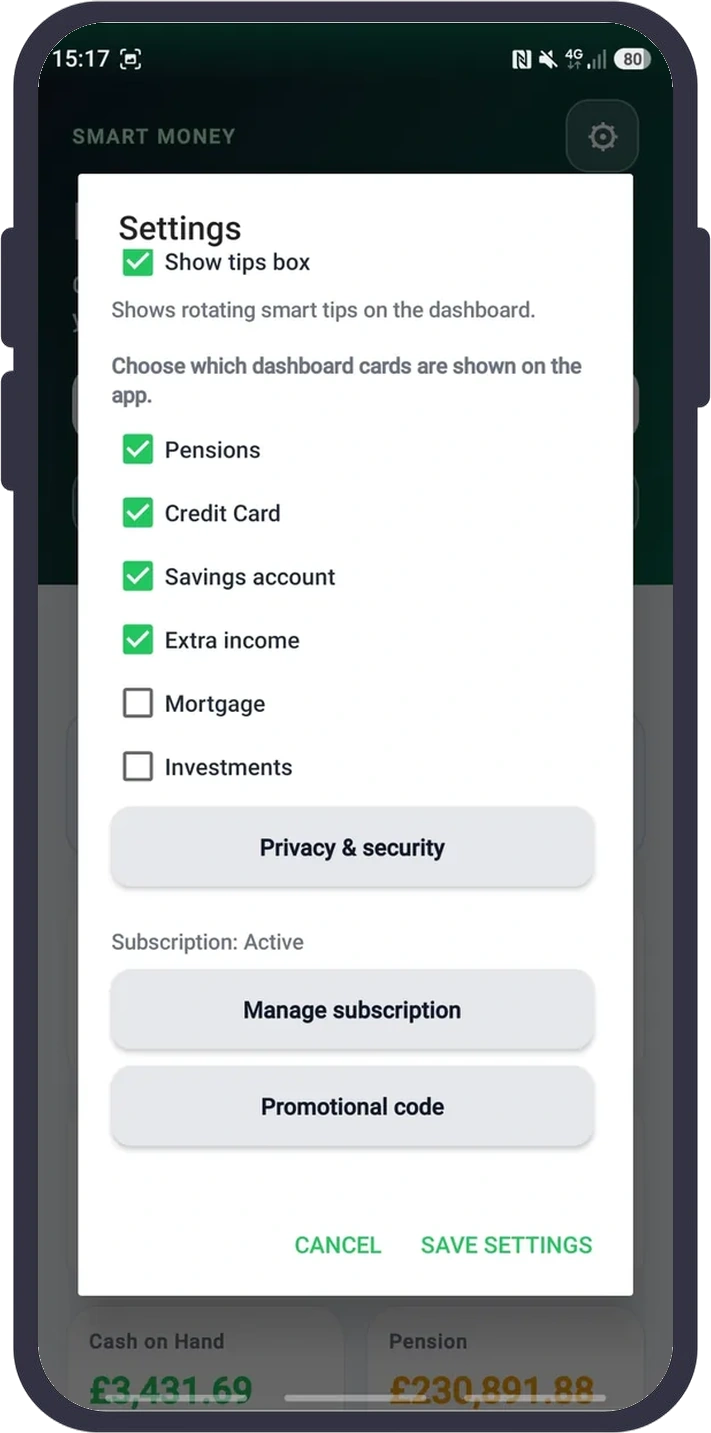
Move backwards or forwards with arrows or a swipe to review past months and preview future balances. The gesture and arrows can be disabled in Settings.
Receive short, rotating prompts that help you keep records current, review upcoming bills and spot potential shortfalls before they become a problem.
Compare what you spent with the budget for every category. Search categories, subcategories and locations, then edit a limit directly from the results.
Create your own categories and subcategories so reports match your life. Organise spending by purpose and, where available, by a saved city, town or online location.
Create a visual PDF for any date range with income, expenses, savings, assets, liabilities and category-level budget results—ready to save or share.
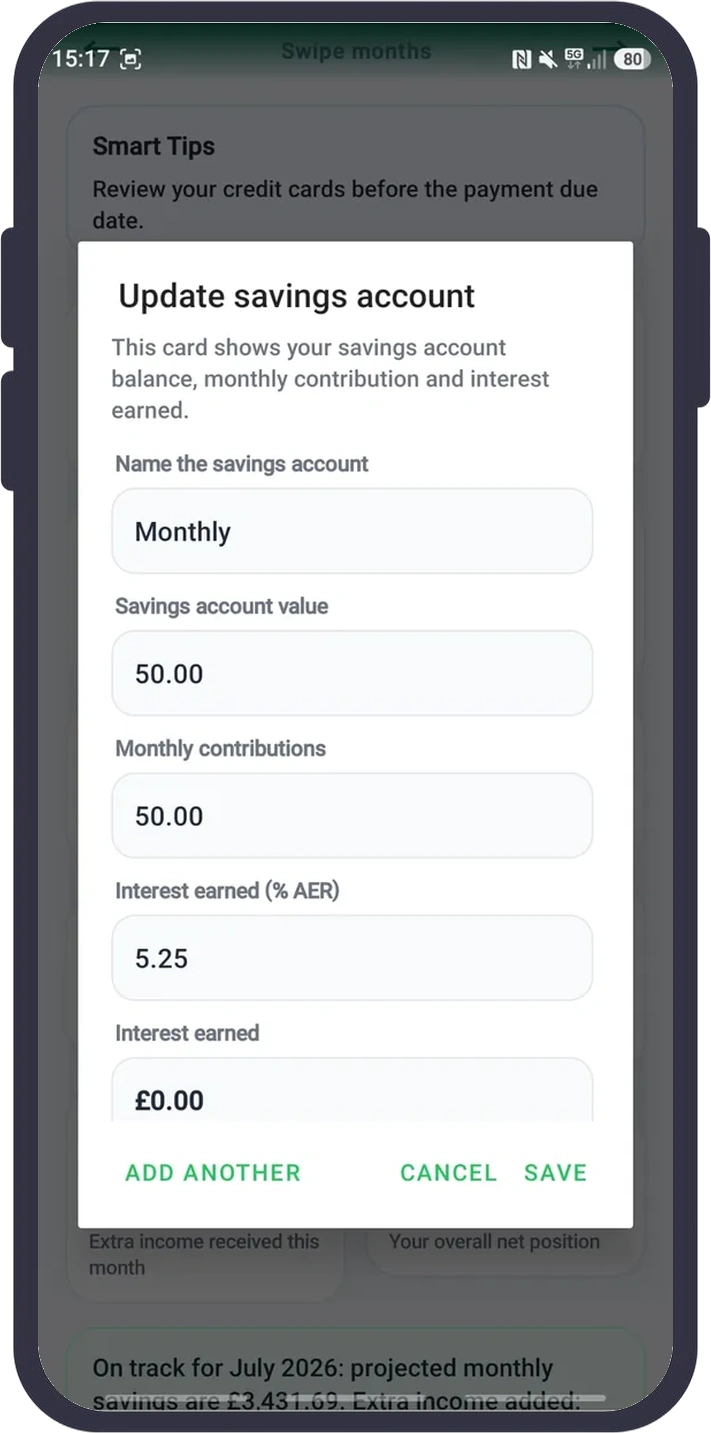
Track each savings account’s balance, regular monthly contribution and AER. Future months estimate both new contributions and compound interest.
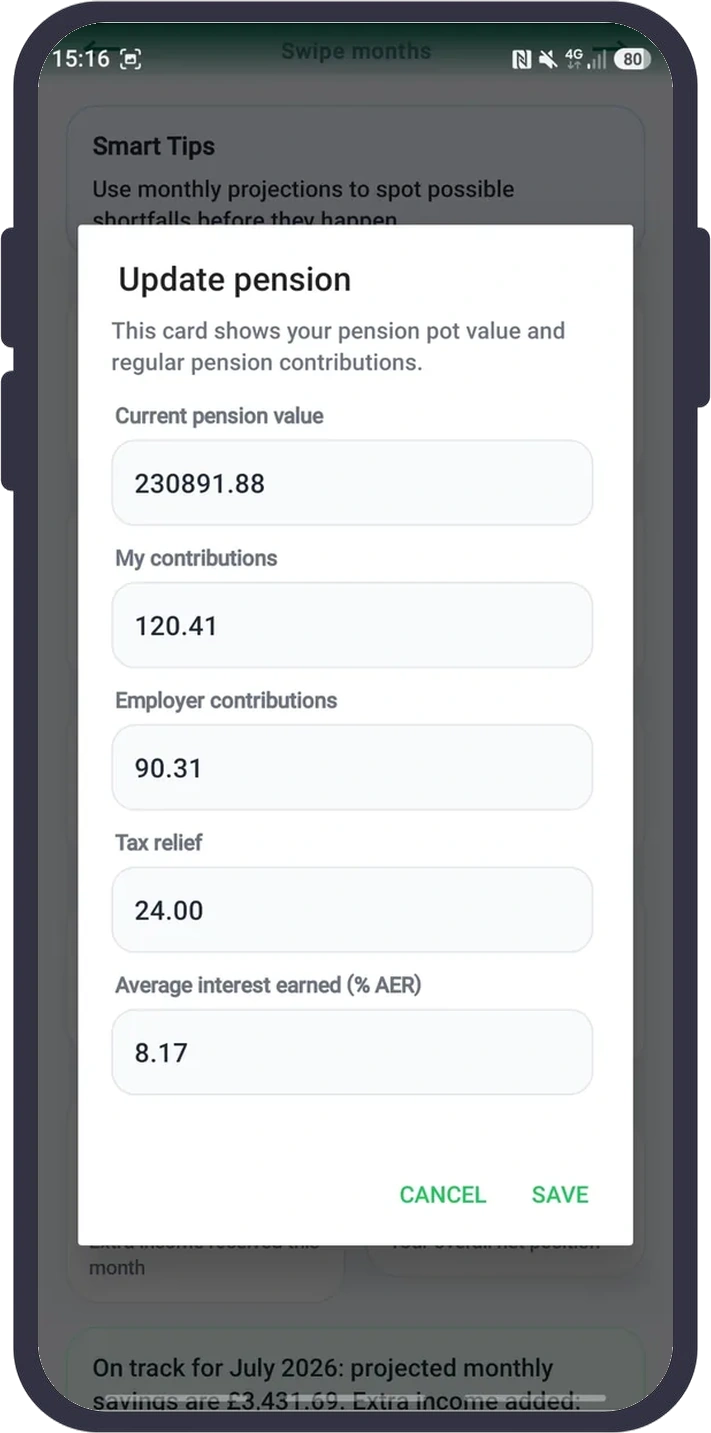
Enter your pension balance, personal and employer contributions, tax relief and average AER to estimate how the pot may grow from month to month.
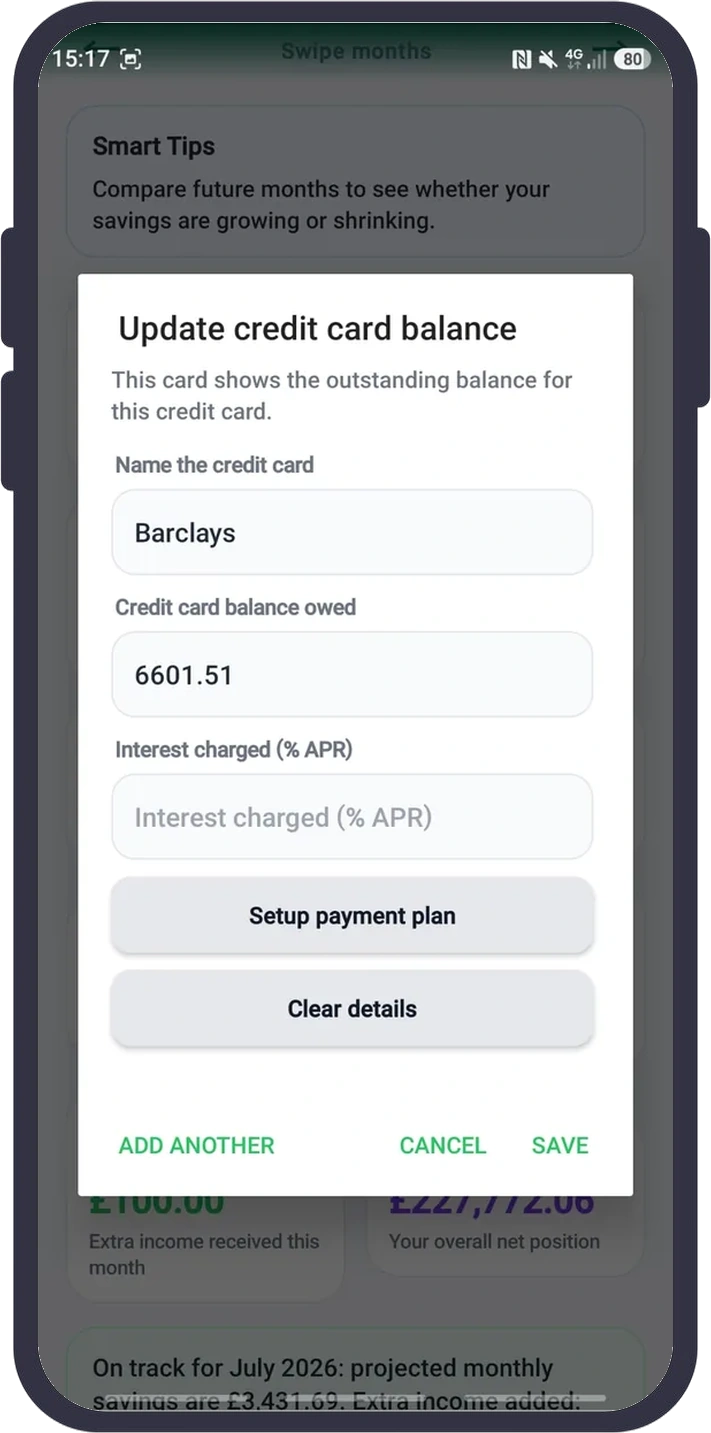
Track each card’s outstanding balance and APR, build a payment plan, and see how daily interest and repayments can change the balance over time.
Record the outstanding mortgage balance and connect regular mortgage payments to your fixed expenses so the projected debt reduces as future months pass.
Keep investments separate from cash savings, record contributions and update values so your overall assets and net position are easier to understand.
Add investments and cryptocurrencies to your net position. Optional online price lookups can refresh supported holdings without uploading your full financial plan.
With optional notification access, the app reads likely bank, card, wallet and email payment notifications on your phone, extracts the amount and creates a pending transaction for you to review.
When a bank or payment notification says a refund was received, the app detects the amount and keeps it waiting for your approval. Confirm it to add the money as extra income, or dismiss it.
Nothing is added automatically without your approval. Open each pending detection, check the amount, date, category and subcategory, then confirm or dismiss it.
For NFC/contactless detections, you can optionally attach the phone’s last known city or town. The feature is optional, can be disabled, and is not used to track your movements.
Enter transactions in different currencies while keeping one default currency for totals. Values are converted using your saved rates or optional automatic daily reference rates.
Refresh exchange rates online when you choose. If the phone is offline, the app continues using the most recently saved rates instead of losing your converted totals.
Export a portable backup of your plan and import it later when moving phones or restoring your data. You choose when and where the file is created.
Financial records remain on your device. You can hide dashboard values, disable optional detection or location features, and create exports only when you choose.
Every screenshot is shown in full, so you can see exactly how the dashboard, payment confirmation, budgets and reports work.
My Money Planner stores your financial records on your phone in encrypted app preferences where supported. Your budgets, transactions, salary, savings, pension, investments, mortgages, credit-card data and detected-payment records are not uploaded to our servers or provided to Google AdMob or Google Analytics.
Internet access is used only for features you choose to use: Google Play subscriptions, exchange-rate updates, and investment/crypto price lookups. Price lookups may send the ticker or search term to the relevant price service, but your full financial plan is not sent.
Notification access is optional. If enabled, notification text is processed locally to find likely payment amounts. The original notification text is not stored; only a pending payment summary is kept until you confirm or delete it.
Location access is optional and only used to attach a city or town to NFC/contactless detected payments when you enable it. Background location is requested only for this core feature so payment location labels can work while the app is closed. Location is not used for ads, movement tracking, or storage on an outside server.
The Android app uses Google AdMob to show optional rewarded ads for Free with Ads access. Google may automatically collect and share IP address (which can be used to estimate general location), app interactions such as launches, taps and video views, diagnostic/performance information, and device or account identifiers for advertising, analytics and fraud prevention. My Money Planner does not send your financial records, payment-notification text or the location data you grant to the app to AdMob. Paid subscribers do not need to watch rewarded ads.
Where required, including in the UK, EEA and Switzerland, the app uses Google's consent flow before requesting ads and provides Ad privacy choices in Settings when available. Depending on your choices and applicable requirements, ads may be personalised, non-personalised or limited.
mymoneyplanner.app uses Google Analytics to understand website usage. Google Analytics may set first-party cookies such as _ga and _ga_<container-id> and process session statistics, approximate geolocation, browser/device information and website interactions. This website analytics data is separate from the financial records stored in the Android app; those records are not sent to Google Analytics.
Android cloud backup is disabled for this app so your local finance preferences are not copied by Android Auto Backup. PDF exports and backups are created only when you choose to create them, and you control where those files are saved.
If you use an influencer/referral link or code, we process the referral code, a random app-install identifier, and Google Play purchase/subscription identifiers and transaction metadata so we can validate the discount, attribute subscriptions, measure trial-to-paid conversion, and calculate influencer commission. We do not receive your budgeting or transaction records, payment-notification text, or location through this referral system. Influencers who register provide a name or creator name and email address; passwords are stored only as secure password hashes, and commission and payout records are retained to operate the programme. The influencer portal uses a necessary session cookie to keep signed-in users authenticated.
Edgar Moria
mymoneyplanner.app
My Money Planner keeps your financial records on your phone and does not upload your budgets, transactions, salary, savings, pension, investments, mortgages, credit-card data or detected payments to our servers. The website may use optional Google Analytics cookies only if you consent; those analytics are separate from your app financial data.
Optional payment detection works on your phone only. If you enable notification access, My Money Planner scans notification text locally to find likely payment amounts, stores only a small pending payment summary, and never saves a payment until you confirm it.
Location is optional and used only when you enable NFC/contactless payment detection location labels. To attach a city or town to payments detected while the app is closed, Android may require location access set to Allow all the time. My Money Planner does not track your movements, does not use location for ads, and does not store your location on an outside server. You can leave this off or turn it off anytime in Settings.
Yes. Subscriptions are managed through Google Play and can be cancelled in your Google Play subscription settings. Access continues according to Google Play’s billing terms.
Take control of today’s spending and build a clearer view of tomorrow with one private Android money planner.